One Tap. Problem Solved.
Master Your Time
10 Minutes at a Time
Take 10 to Win for a Spin!
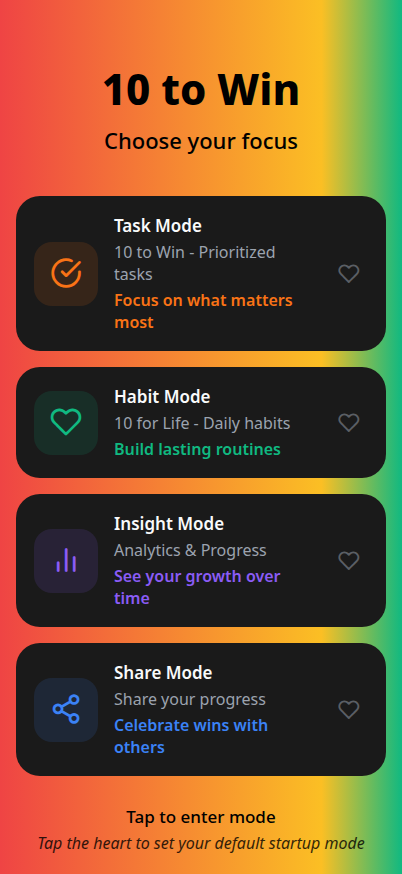
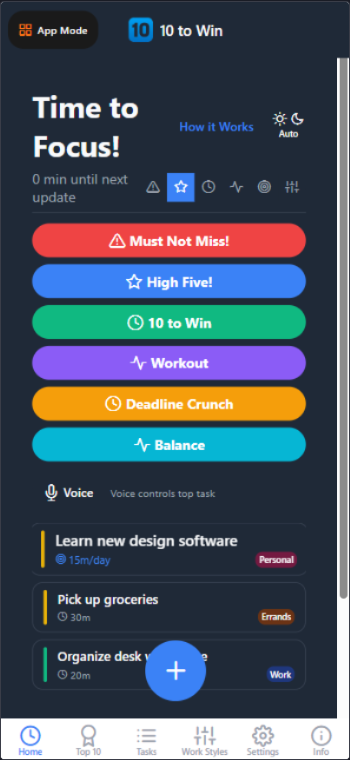
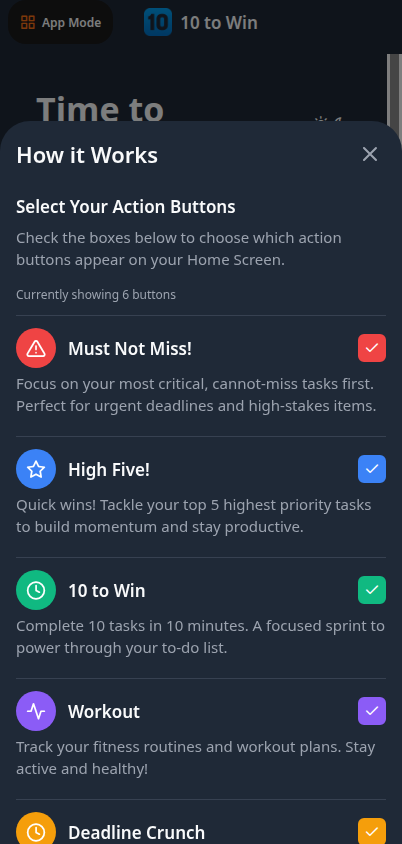
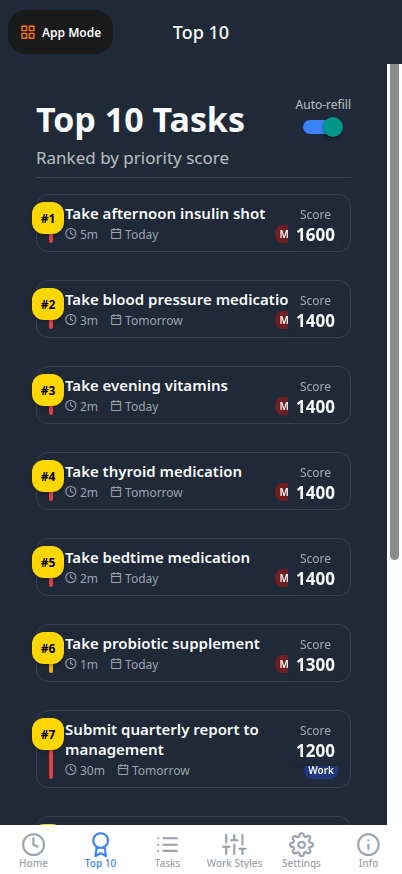
Take 10 to Win for a Spin!
Apps in 1
Action Buttons
Minutes per Session
Prioritization Factors
Work Styles
App Modes
Priority Levels
Swipe Actions
Focus Guaranteed
Custom Action Buttons
Everything in 10 to Win is designed around the number 10. It's not random - it's the perfect balance of simplicity and effectiveness.
Built for busy professionals who want to accomplish more without feeling overwhelmed. Simple, focused, and incredibly effective.
Our smart algorithm analyzes urgency levels, deadlines, and time estimates to automatically surface your most critical tasks. No more guessing what to work on next.
Get exactly 10 minutes worth of high-priority work, perfectly sized for maximum productivity. Fits into any gap in your schedule—waiting for a meeting? Knock out a task.
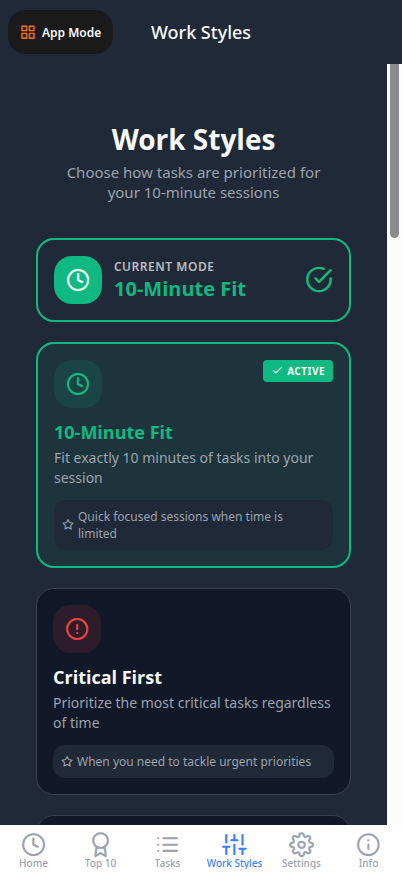
Choose how you want to work: 10-Min Fit, Critical First, Quick Wins, Deadline Crunch, Balance, Chunked, plus 4 Pro-only Advanced Factor modes: Flow Sync (energy matching), Team Unblocker (collaboration), Relationship Guard (stakeholder focus), and Momentum Finish (complete started tasks).
Hourly check-ins keep you on track without being intrusive. Set custom Do Not Disturb periods for deep work or overnight hours. Your schedule, your rules.
"Eat an elephant one bite at a time." Transform overwhelming projects into manageable daily time allocations. Make steady progress on big goals without stress.
Optional cloud sync with Todoist keeps your tasks accessible everywhere while maintaining local-first speed. Toggle on/off anytime—your data, your control.
Add tasks hands-free with voice input. Perfect for capturing ideas on the go or when your hands are full. Fast, accurate, and effortless.
Complete, snooze, or skip tasks with intuitive swipe actions. Smooth animations and haptic feedback make task management feel natural and satisfying.
Gorgeous liquid glass UI inspired by iOS 26 design language. Auto dark mode. Fluid animations. A productivity app that's actually a joy to use daily.
Designed to get out of your way so you can focus on what matters—getting things done.
Action buttons for quick access to prioritized tasks.
Select your favorite action buttons.
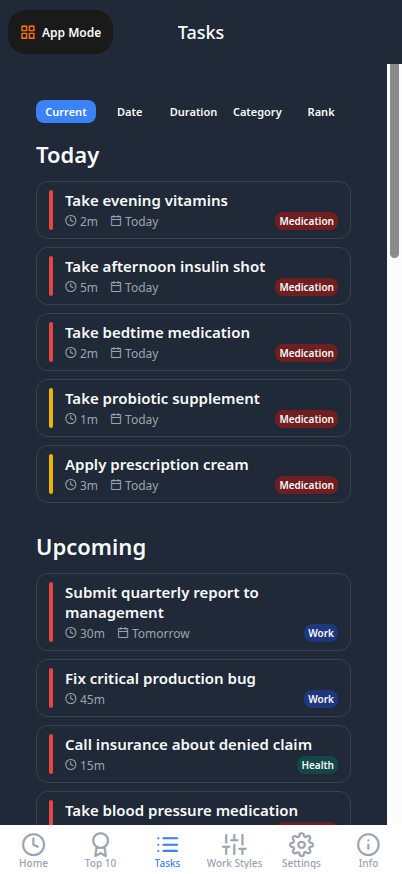
Browse all tasks organized by category.
Choose from 10 prioritization styles.
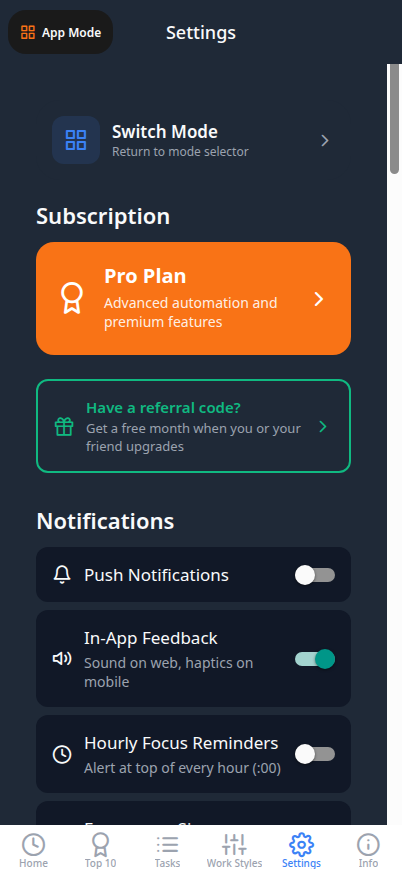
Customize notifications and preferences.
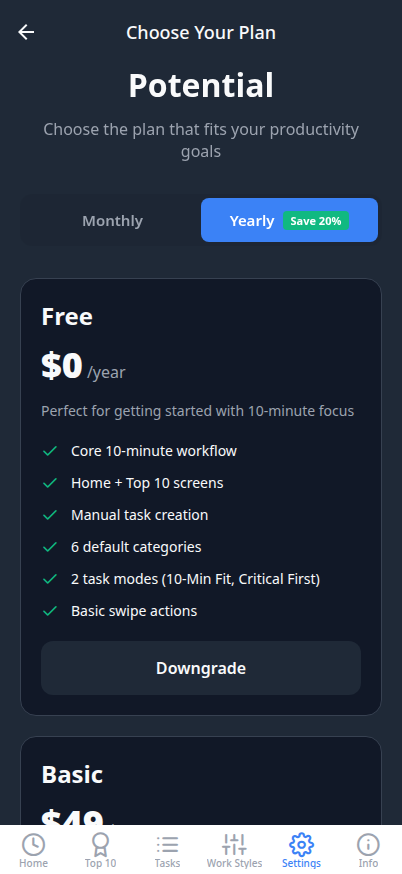
Upgrade for more modes and features.
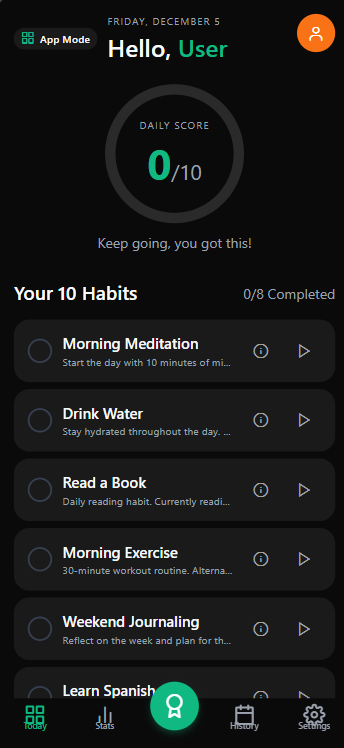
Track your daily habits with ease.
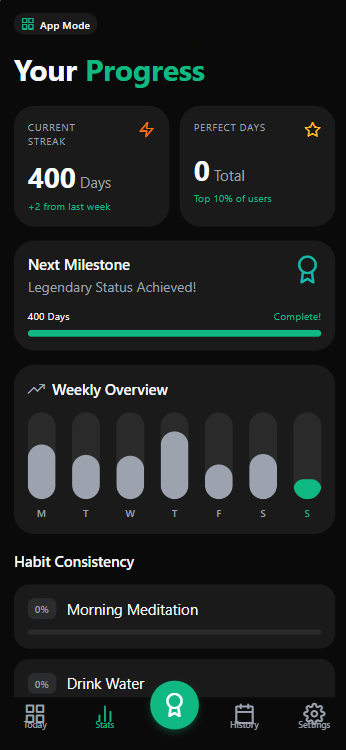
View your progress and streaks.
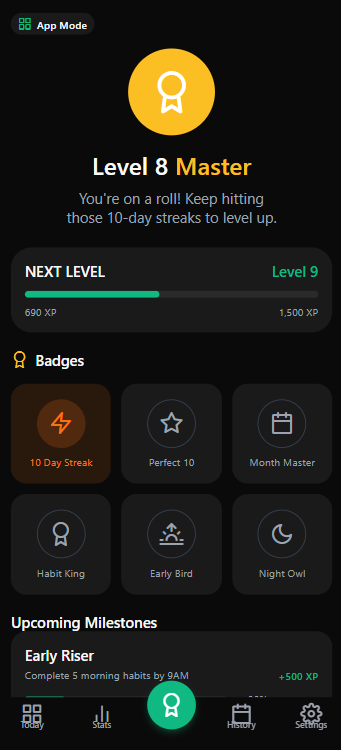
Earn achievements for consistency.
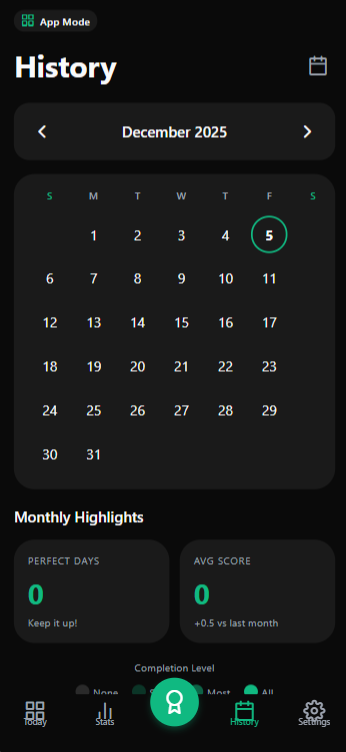
Review your habit completion over time.
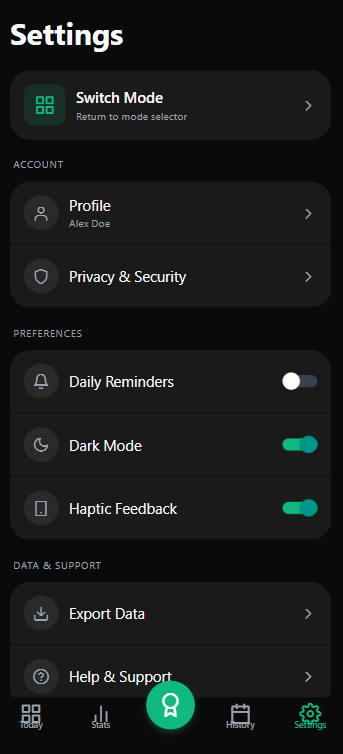
Configure your habit preferences.
When you have time.
Regular priority work.
Needs attention today.
Drop everything. Do this now.
Start winning your day in minutes, not hours.
Capture everything you need to do with voice input or quick keyboard entry. Set urgency, time estimate, and due dates.
Our intelligent algorithm analyzes your tasks and automatically surfaces the most critical work based on urgency, deadlines, and available time.
Get exactly 10 minutes of high-priority work. Complete tasks with swipe gestures. Check in hourly. Make steady progress all day.
One-tap Action Buttons meet intelligent automation for unstoppable productivity.
No menus. No scrolling. No decisions. Four powerful Action Buttons on your Home Screen launch you directly into productive work. Tap "Must Not Miss!" for your critical task, "High Five!" for your top 5, "10 to Win" for a timed sprint, or "Workout" to get moving. From zero to focused in one tap.
10-minute blocks aren't random—they're your productivity sweet spot. Short enough to tackle anytime, long enough to make real progress. Combine that with smart Task Modes and Work Styles that adapt to your unique flow, and you've got a system that works with your brain, not against it. Just bite-sized wins all day long.
Choose which Action Buttons appear on your Home Screen from our growing library. Mix and match to fit your workflow. Need something truly unique? Our Custom Action Buttons service builds bespoke buttons with deep integrations, automation, and workflows designed just for you.
The app learns as you work. Pattern recognition spots what works (and what doesn't), then suggests new modes tailored to your habits. Submit ideas for new Action Buttons, Task Modes, or Work Styles—the best get added for everyone. Your productivity system evolves with you, making every day more effective than the last.
Experience the difference when you know exactly what to work on and when.
No more wondering "what should I work on next?" The app tells you exactly what matters most right now, freeing your mental energy for actual work.
10-minute sessions mean you can be productive anywhere, anytime. Waiting for a meeting? Commuting? You now have time to make real progress.
See only what you can actually accomplish today. Large projects break down into manageable daily goals. No more staring at impossible to-do lists.
Complete quick wins throughout your day. Each finished task creates positive momentum that carries you toward your bigger goals.
Set Do Not Disturb periods for deep work or sleep. Smart notifications adapt to your schedule—work hard during work hours, rest during downtime.
Focus on what matters without burnout. Make steady daily progress on long-term projects. Build habits that last, not sprints that exhaust you.
See exactly what matters most right now with a priority score calculated from 5 powerful factors.
The Top 10 screen is your command center for intelligent decision-making. Instead of staring at an endless task list wondering where to start, you get a crystal-clear view of your 10 highest-priority tasks, ranked by a sophisticated algorithm that considers urgency, deadlines, importance, future impact, and your history with each task.
Emergency tasks get maximum priority. Urgent beats moderate. Low priority stays out of your way.
Overdue tasks jump to the top. Tasks due in 2 hours outrank tasks due tomorrow.
Rate tasks 1-10 on importance. High-impact work rises above routine tasks.
Invest in high-value work. Divest from low-return tasks. Strategic prioritization.
Tasks you keep avoiding drop in priority. Stop procrastinating or let them go.
No more analysis paralysis. The Top 10 screen delivers a definitive answer to "What should I work on right now?" Every task has a numerical priority score, so you can see exactly why task #1 beats task #2.
Choose your workflow: Auto-refill mode dynamically updates your Top 10 as you complete tasks. Freeze mode locks your list so you can clear it completely and feel the satisfaction of an empty queue before refreshing.
The Top 10 is designed for focused 10-minute sessions. See your most critical tasks, pick one that fits your available time, complete it in 10 minutes, and move on. Maximum productivity with minimum overthinking.
Research shows that decision fatigue kills productivity. When you're staring at 50 tasks, your brain wastes energy choosing what to do next. The Top 10 eliminates that friction. It's not just a ranking—it's a decision engine that hands you the 10 most important things on your plate, pre-sorted and ready to execute. You focus on doing. The app handles the thinking.
See how 10 to Win is helping professionals accomplish more every day.
"Finally, a task app that actually helps me prioritize instead of just storing my endless list. The 10-minute sessions are perfect for my busy schedule."
"Breaking down my huge project into daily time blocks changed everything. I'm making consistent progress without feeling overwhelmed."
"The smart prioritization is a game-changer. I no longer waste time deciding what to work on—the app tells me, and it's always right."
A feature-by-feature comparison with leading productivity apps
We analyzed the top productivity apps in the market. While others focus on just task management or just habit tracking, 10 to Win is the only app that combines intelligent prioritization, timed sprints, habit tracking, and workout management in one powerful platform.
| Feature | 10 to Win | TickTick | Todoist | Things 3 | Habitica |
|---|---|---|---|---|---|
| Task Management | Yes | Yes | Yes | Yes | Basic |
| Habit Tracking | 10 Habits | Yes | No | No | Yes |
| Timed Sprints | 10 Min | Pomodoro Only | No | No | No |
| Intelligent Auto-Priority | Algorithm | Manual Only | AI Coming | No | No |
| Work Style Modes | 10 Modes | No | No | No | No |
| Action Buttons | 10 Custom | No | No | No | No |
| Workout Tracking | Yes | No | No | No | No |
| Enterprise Features | Full | No | Team | No | No |
| Cross-Platform | iOS/Android/Web | All | All | Apple Only | All |
| Voice Commands | Web | Siri/Google | All Assistants | Siri | No |
| Gamification | Streaks/Scoring | Achievements | Karma | No | Full RPG |
Join thousands of users who switched to 10 to Win for its unique combination of intelligent prioritization, timed sprints, and unified productivity features.
Start Free TodayYour feedback shapes the future of 10 to Win. Share your thoughts or suggest new features.
Tell us what you love, what could be better, or any issues you've encountered.
Have an idea that would make 10 to Win even better? We'd love to hear it!
Join thousands of productive professionals who have transformed their workflow with intelligent task prioritization.


Workout Mode with Voice Commands
Open in your phone's browser for hands-free task completion during workouts. Say "done", "complete", or "skip" instead of touching your phone.
Open Web App with VoiceBest on Android Chrome. Works on desktop browsers too.
Free to download. Requires Expo Go on iOS or Android.